

Accueil › Forums › HAast (High Availability for Asterisk) › General › USB license on Hyper-V guest
-
AuthorPosts
-
I have a customer running Asterisk in a guest OS on Microsoft Hyper-V and during HAast OEM edition setup I chose to use the USB dongle activation option. How do I connect the USB key to the guest?
I’ve used VMware before and I know it’s easy to pass through a USB device with VMware, but Microsoft has chosen to make this painful. Is there a workaround or do I need to change activation types? (you mentioned I could return the USB keys if I wanted to change)
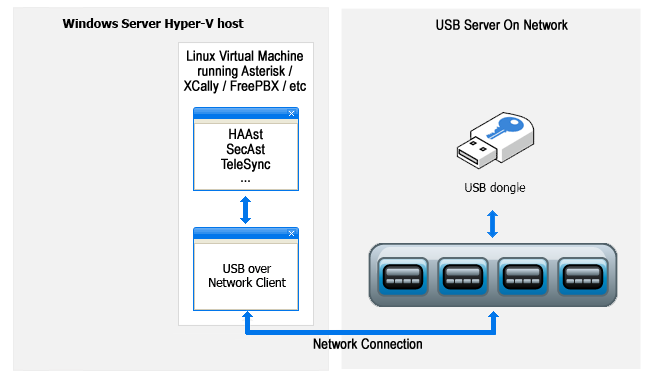
In order to connect a USB device to a Hyper-V guest you need to use a USB over IP solution. This means you plug the USB device into a real (physical) device(possibly even the Hyper-V host) and then attach it to the guest over a network (IP) connection.
Hyper-V users have had mixed results with “Passing through” the USB device (or hub) to the guest. Most users opt for commercial hardware products which will share a USB device over an IP connection:
To see which USB over IP devices Telium has certified compatibility please see https://telium.io/topic/usb-license-on-hyper-v-guest/#post-6855
Telium has certified hardware which enables USB dongles to connect over the network (“USB-over-IP”). This allows USB dongles to be plugged into one device on the network and appear local to another device (physical computer/virtual machine/container).
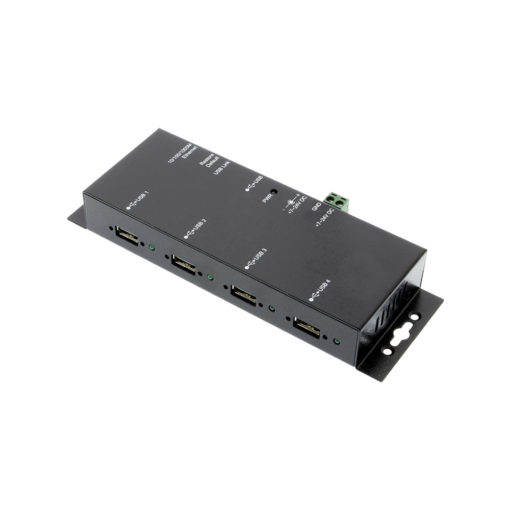
CoolGear USB-NET-4A USB over IP hub
The USB-NET-4A is available directly from CoolGear here: https://www.coolgear.com/product/usb-2-0-over-ip-network-4-port-hub-share-any-usb-device-over-tcpip-network or from Telium. This device is suitable for small and simple networks, and provides a budget dongle over IP solution. This device supports up to 4 dongles. Note that Telium maintains its own Linux driver for this device, which is locked to the MAC addresses of the devices sold through Telium. Telium does not make this driver available for devices purchased from other sources. To acquire the Linux driver for a USB-NET-4A purchased from other retailers, please contact CoolGear directly. This unit has completed long-term testing and has received Telium certification.
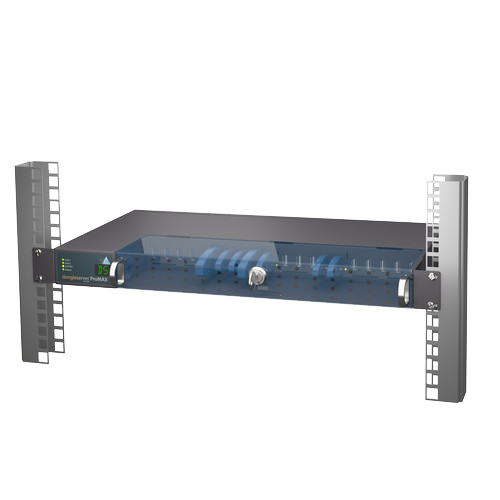
DongleServer from SEH Technology
The DongleServer Pro/Max has passed preliminary testing with Telium. For more information visit https://www.seh-technology.com/products/usb-dongleserver.html. This device is suitable for 4 to 20 dongles (per DongleServer), and offers a greater number of management and control options. The smaller device (4 dongles) and larger device (20 dongles) function identically, and full Linux support is available from the manufacturer. Telium has an optional stability feature which allows survival of a failed/hung SEH dongle server as noted below. If the unit is purchased through Telium then Telium will include support (and setup assistance) for these devices within the included support incidents, as well as the remote dongle stability feature. This unit is currently undergoing long-term testing and has received provisional Telium certification.
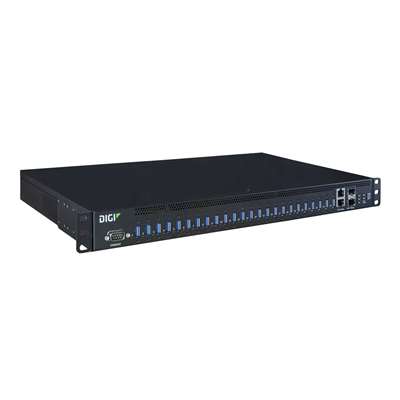
Digi AnywhereUSB 2/8/24 Plus
The Digi AnywhereUSB has passed preliminary testing with Telium. For more information visit https://hub.digi.com/support/products/infrastructure-management/. These devices are suitable for 2, 8, or 24 dongles (per Digi device). If the unit is purchased through Telium then Telium will include support (and setup assistance) for these devices within the included support incidents, as well as the remote dongle stability feature. Note that this unit is not yet available through Telium as it has NOT completed long-term tests, nor received Telium certification. Use this device for non-production purposes only until Telium has completed certification. Update: We have received reports that the 2 port model is underpowered and times out during configuration and when accessing the USB devices, so we suggest 8 port minimum.
If any product is purchased from Telium then we include support for the device as described in FAQ 1075. If you chose to purchase the device elsewhere then we cannot answer any questions about the devices’ functionality, compatibility, drivers, etc. (Please direct those questions to your retailer of choice). Please ensure your design considers compatibility between all software/firmware/hardware in your project as Telium is not responsible for third party devices or vendors.Please note that using a remote USB dongle (software or hardware based remoting) requires a feature be enabled in your License. This will cause the Telium software to tolerate loss of the USB dongle (or freeze/hang of the dongle server) and then initiate a reconnection or restart of the dongle. It also allows the Telium software to reinitialize the remote dongle to force a reconnect (as often required if the dongle become unresponsive, etc). This license feature also disables a type of hacking/fraudulent dongle detection in the security library used by Telium software, so the feature is limited to select channel partners only. If you do not qualify for this feature then Telium recommends checking if a Volume License Server (VLS) is a viable option for your deployment.
-
AuthorPosts


- You must be logged in to reply to this topic.